Websites

Hello Quarto - A World of Possibilities
(for Reproducible Publishing)

Mine Çetinkaya Rundel

Duke University + Posit

Anatomy of a Quarto project

What defines a Quarto Project?

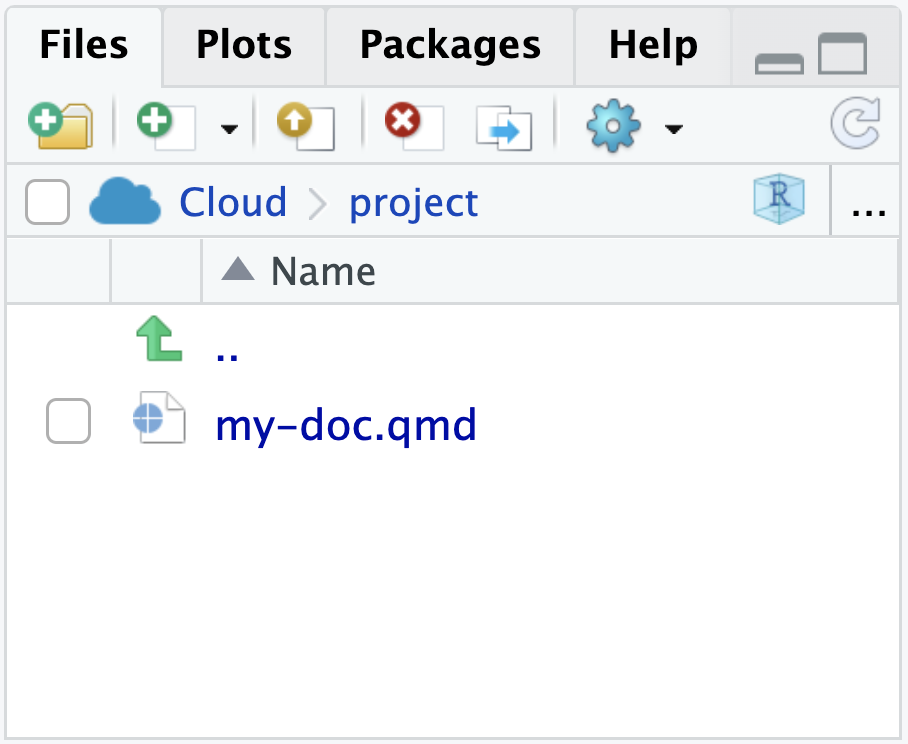
A Quarto Project is a directory that contains a file called _quarto.yml.


This is a Quarto Project.
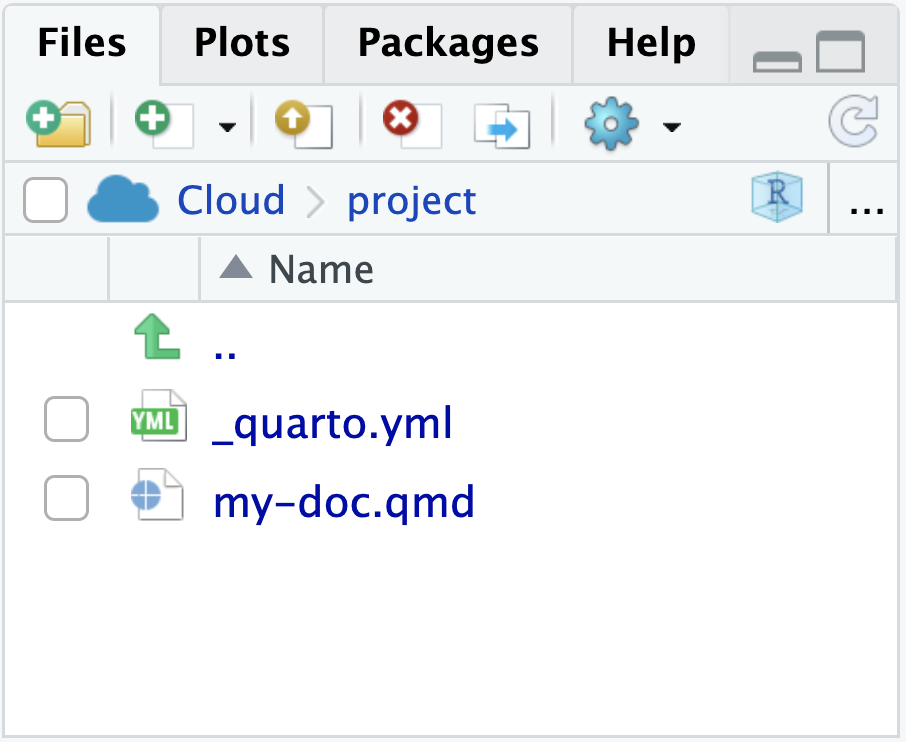
Files panel in RStudio showing my-doc.qmd and _quarto.yml.

This is not.

Files panel in RStudio showing only my-doc.qmd.

_quarto.yml

A YAML file with particular keys and values that Quarto recognizes. Unrecognized keys are ignored.

_quarto.yml
project:
  title: "A Barebones Project"

Quarto Project vs RStudio Project

  • Quarto Projects determine how quarto render, quarto preview and quarto publish work when run inside the directory.
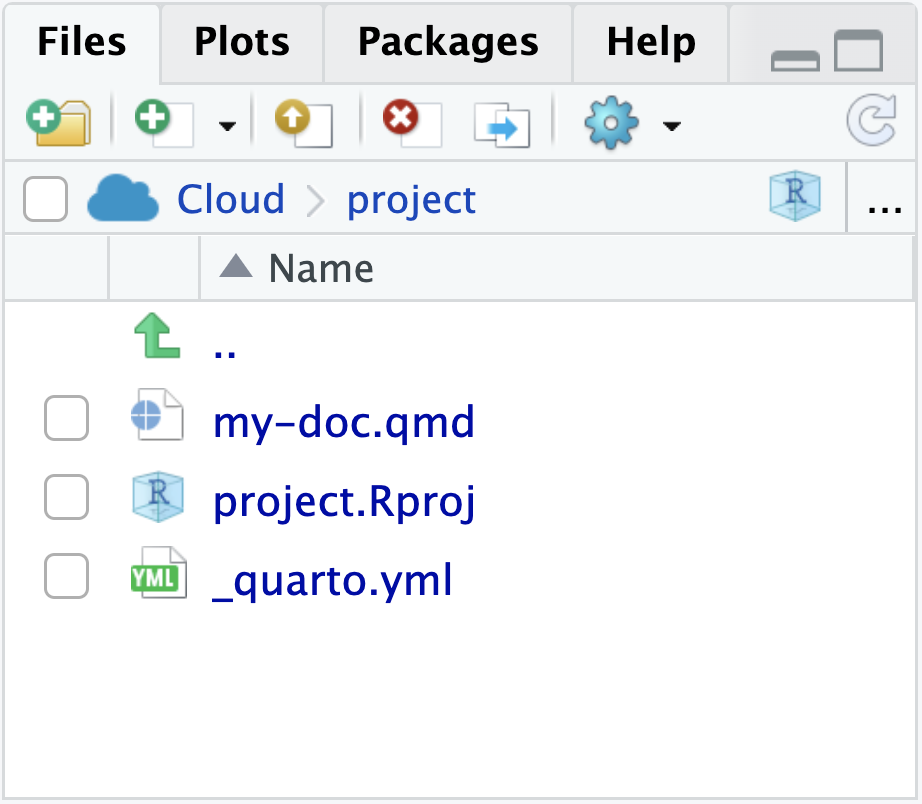
  • RStudio Projects store configuration info for the IDE when working from the directory.
  • A directory can have one or both!


Files panel in RStudio showing my-doc.qmd, _quarto.yml, and an .Rproj file.

Quarto projects

  • Quarto projects have a _quarto.yml file

  • The type field in this file indicates the type of project:

    • default: Collection of documents

    • website: Websites (and blogs)

    • book: Books

    • manuscript: Manuscripts (Quarto 1.4+)

Quarto websites

  • Websites are essentially format: html + a Quarto Project file

  • But a website is different than format: html in that it has multiple pages

  • Websites are our first exploration into Quarto Projects

  • Websites and books are very similar in that they associate multiple pages/resources into a connected resource

Our turn

Let’s build a website together from all of the documents we’ve created so far and highlight the following features of Quarto websites:

  • _quarto.yml

  • index.qmd / landing page

  • Navigation

  • Freeze

  • Publishing to QuartoPub

  • An aspect of the workshop webpage that you fancy?

Computations

When should code be re-run?

  • You might have a reason to re-run all code in a Quarto website (every single chunk in every single document) every time you render the website.

  • But, chances are, that’s not what you want.

    • Just playing around styling – you probably don’t want to run the code again

    • Changed some code in a document – you probably want to re-run the code in that document, but not necessarily others

    • Made a big change affecting computations on many or all pages – you probably want to re-run all code

  • freeze and cache options give you fine control over these decisions

Freeze

  • The freeze option controls when/if computational documents be re-rendered during a global project render:
execute:
  freeze: true  # never re-render during project render
execute:
  freeze: auto  # re-render only when source changes
execute:
  freeze: false  # always re-render
  • The freeze option is typically added to a _metadata.yml file within a specific directory, affecting all files in that directory.

  • For blogs, set feeze in _metadata.yml at the root of the posts directory.

  • You can have it only within specific subdirectories for more complex sites.

Cache

  • Cache stores the results of computations for a specific file.

  • Cache invalidation is triggered by changes in chunk source code (or other cache attributes you’ve defined).

  • cache can also be set at the chunk level. Consider using the cache for computationally expensive chunks.

Freeze vs. cache

  • Freeze option is typically set

    • for the whole website in _quarto.yml, or

    • for files within a directory in _metadata.yml in that directory

execute: 
  freeze: auto
  • Cache option is typically set for a given file or for individual chunk(s) in a file.
execute:
  cache: true

or

```{r}
#| cache: true

1 + 1
```
[1] 2

Publishing

QuartoPub

  • Quarto Pub is a free publishing service for content created with Quarto. It is ideal for blogs, course or project websites, books, presentations, and personal hobby sites.

  • Publish with quarto publish:

Terminal
quarto publish quarto-pub
  • Gain a _publish.yml that is safe to check into version control.

Other venues

  • GitHub Pages
  • Posit Connect
  • Netlify
  • Confluence
  • More venues

Wrap up

Learn more

Questions

Any questions / anything you’d like to review before we wrap up this module?